When editing this wiki you need to follow these rules so the wiki is consistent.
The filename
The file name shouldn’t be too long and relevant to the topic.
The start of the file
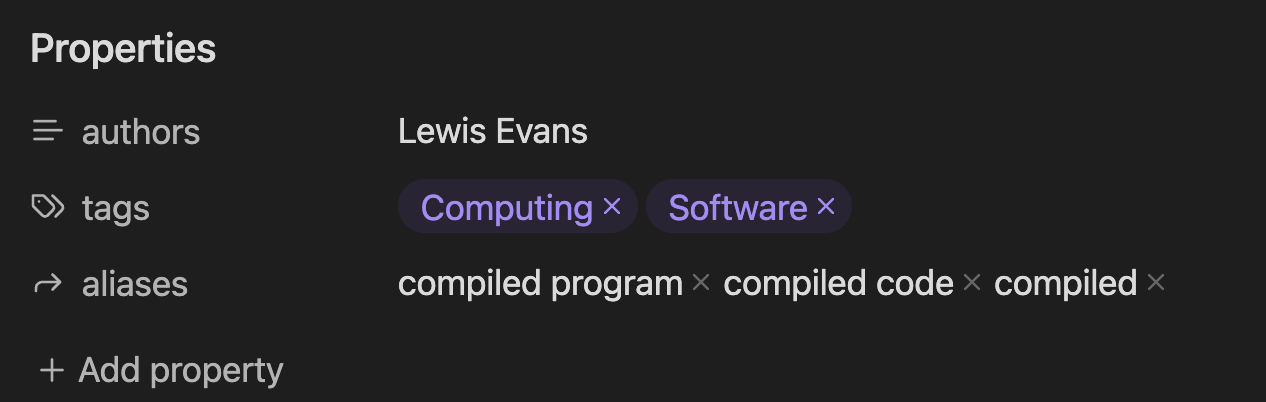
When starting the file you should put file properties. This can be edited using the three dots in the top right next to the book and clicking Add file property. This should make a new editor where you can add properties.
Heres what it should look like
Authors
This is a list property similar to tags. This should be a list of authors in order of first being the creator and then the rest being each editor in order of editing date. Example
authors:
  - Creator
  - Editor 1
  - Editor 2
When editing in live preview you can use the enter and tab keys to navigate in the field.
The creator must be first
Tags
The appropriate tags should be used to group pages together correctly.
Aliases
This should have common names for the topic and plural names. For example we have a page called server we can put servers or if we have program we can have programs, computer program, computer programs
The file
The file should have relevant information about the topic and should have lots of links to other wiki page (even if it doesn’t exist yet). For example The CPU manages the [[hardware]] on a [[computer]] and performs [[logic]] and [[arithmetic]] calcuations. In that example we link several pages together. This lets us build the node graph.
The file should have correct spelling and correct grammar.
Images
Images should be correctly attributed. This means putting the name of the author or the source of the image. The images should be saved to attachments and be given a appropriate name that describes the image.
Example
 Author name
 Obsidian logo Image source

You can also put a alt text
At the end of the file
You should put a see also part to link to relevant pages and then a references. You also need to put a line break before this.
Example
___
## See also
- Add other links to pages that are relevant
## References
- Add your sources
- Including websites
- PDF's
- And more